
If you need help accessing your DmFirst Game account, this guide explains the login process in a simple step-by-step format. You can find instructions for signing in with your password, using OTP verification, resetting a forgotten password, and resolving common access problems.
The steps below are intended for users who already have a registered DmFirst account and want to access it through the website or available mobile app.
What Is DmFirst Login?
DmFirst Login is the account sign-in process used to access a registered DmFirst account. After successful authentication, users may be able to access the account features available to them, depending on the platform and account status.
For account security, use your own registered mobile number and keep your password and verification codes private. Never share an OTP or password with another person, even if they claim to represent customer support.
How to Log In to DmFirst
If you already have a registered account, follow these general steps:
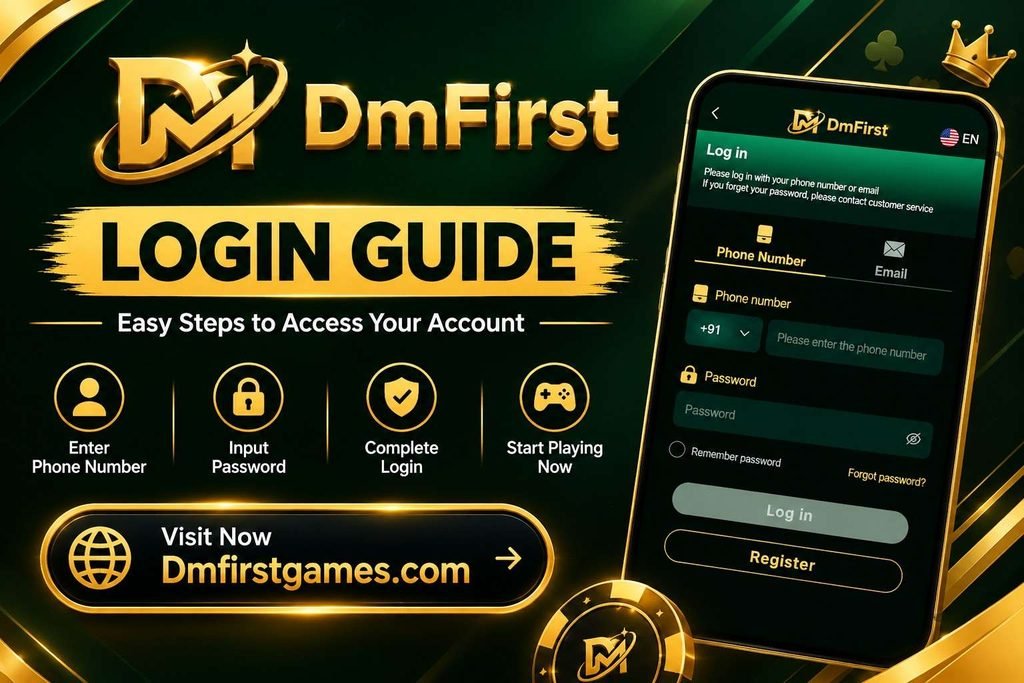
Step 1 – Open the DmFirst Website
Open the official DmFirst website in your mobile or desktop browser.
If you use the DmFirst mobile application, open the app instead.
Step 2 – Select Login
Look for the Login or Sign In option on the website or app and open the account access page.
Step 3 – Enter Your Registered Mobile Number
Enter the mobile number associated with your DmFirst account.
Make sure the number is entered correctly before continuing.
Step 4 – Enter Your Password
Enter the password associated with your account.
Check the spelling and capitalization if the login form reports that your credentials are incorrect.
Step 5 – Select Sign In
After entering the required information, select Sign In.
If the details are correct and the service is available, you should be taken to your account dashboard.
Step 6 – Check Your Account
Once signed in, review the dashboard and make sure you have accessed the correct account.
DmFirst Login With OTP
If an OTP login option is available on the current platform, you can use it instead of entering your password.
The general process is:
- Open the DmFirst website or app.
- Select Login.
- Choose Login with OTP, if available.
- Enter your registered mobile number.
- Request an OTP.
- Enter the verification code received on your phone.
- Complete the verification process.
Important: Never share your OTP with another person. If you did not request a verification code, do not give that code to anyone.
Forgot Your DmFirst Password?
If you cannot remember your account password, use the password recovery option provided on the login page.
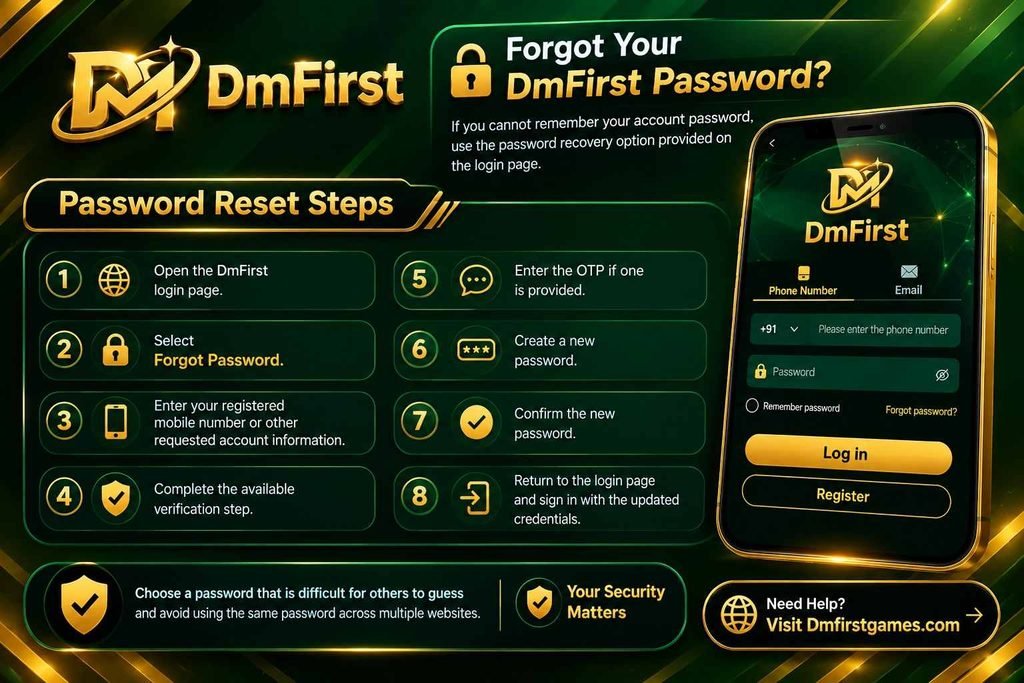
Password Reset Steps
- Open the DmFirst login page.
- Select Forgot Password.
- Enter your registered mobile number or other requested account information.
- Complete the available verification step.
- Enter the OTP if one is provided.
- Create a new password.
- Confirm the new password.
- Return to the login page and sign in with the updated credentials.
Choose a password that is difficult for others to guess and avoid using the same password across multiple websites.
DmFirst Login Problems and Solutions
Sometimes an account may not open because of an incorrect password, network problem, browser issue, or temporary service problem.
| Login Problem | What You Can Try |
|---|---|
| Incorrect password | Check your password or use Forgot Password |
| OTP not received | Check your mobile signal and wait before requesting another code |
| Mobile number not recognised | Confirm that you are using the number registered with the account |
| Login page not loading | Check your internet connection and refresh the page |
| App is not opening | Restart the device and check whether an updated app version is available |
| Browser login issue | Clear the browser cache or try another supported browser |
| Account access restricted | Use the platform’s available support or account-recovery option |
Avoid repeatedly entering incorrect credentials if the platform temporarily restricts login attempts.
How to Keep Your Account Secure
Good account security starts with protecting your login information.
- Never share your password or OTP with anyone.
- Avoid using the same password on multiple websites.
- Do not save your password on a public or shared computer.
- Log out when using a shared device.
- Avoid clicking unknown links claiming to provide account bonuses or login assistance.
- Download an application only from a source you trust and verify that it is the intended app.
- If you notice unusual account activity, use the platform’s official account-support channel.
These practices are useful for protecting your account regardless of whether you access it through a browser or mobile application.
DmFirst on Mobile Browser vs App
The available features can differ depending on the current version of the website and application.
| Feature | Mobile Browser | Mobile App |
|---|---|---|
| Account login | Yes | If supported |
| Installation required | No | Yes |
| Access from browser | Yes | No |
| Updates | Browser-based | App-based |
| Storage required | Minimal | Additional device storage |
| Best suited for | Quick browser access | Users who prefer an installed app |
Before installing an APK, verify its source and permissions. Do not install files received from unknown websites, messages, or individuals.
How to Access the DmFirst App
If DmFirst provides a mobile application, use the download option published through its current official channel.
For Android:
- Open the DmFirst website or verified app source.
- Locate the current application download option.
- Download the application only if you trust the source.
- Review the requested permissions before installation.
- Install the application.
- Open it and sign in with your registered account details.
Safety tip: Avoid APK files shared through random download pages, social media messages, or unknown links. An application should only be installed when you can verify where it came from and what permissions it requests.
Frequently Asked Questions About DmFirst Login
How do I access my DmFirst account?
Open the DmFirst website or supported app, select Login, enter your registered account details, and complete the verification process if requested.
What should I do if my password is not working?
First, check that your mobile number and password are correct. If you still cannot sign in, use the Forgot Password option if it is available.
Can I log in with an OTP?
If OTP login is currently offered on the DmFirst login page, you can select that option and complete mobile verification instead of entering your regular password.
Why am I not receiving my OTP?
Check your mobile network and confirm that you entered the registered number correctly. Wait briefly before requesting another code. If the problem continues, use the platform’s available support option.
How can I reset my DmFirst password?
Select Forgot Password on the login page and follow the verification and password-reset instructions provided by the platform.
Can I access DmFirst from a mobile browser?
If the website is currently available, you can access the login page through a supported mobile browser without installing an application.
Is it safe to share my OTP with support?
No. Your OTP should be treated as private authentication information. Do not share it with anyone claiming to be support.
Can I use DmFirst Login on my desktop?
Yes. If the DmFirst website supports desktop browsers, you can open the website on a computer and sign in using your registered account details. Make sure you are using a secure and updated browser.
What should I do if my DmFirst account is temporarily locked?
If your account is temporarily locked after multiple unsuccessful login attempts, wait for the restriction period specified by the platform and try again. If access is still unavailable, use the available account recovery or support option.
How can I check whether I am using the correct DmFirst login page?
Always access the login page through the DmFirst website or another verified source associated with the service. Avoid login links received through unknown messages or third-party pages, especially if they request your password or OTP.
Final Tips for DmFirst Account Access
For a smoother login experience, keep your registered mobile number active, remember your account credentials, and use the password-recovery option when necessary. Most importantly, keep your password and OTP private and verify application sources before installing anything on your device.
This page is intended as an informational login guide. Features, login methods, application availability, and account procedures may change, so always follow the instructions displayed on the current DmFirst platform.
This content is provided for informational purposes only. Users should follow applicable laws and platform rules and use any gaming-related service responsibly. Participation may involve financial risk. Only adults who are legally permitted to participate should use such services.